
A concept idea between @User @User and @User
The media marketing company originally nicknamed “Really Amateur Productions” was created as a WhatsApp Group on the 16th December 2024 by Michael Kirkland after numerous discussions between the named members of the group above. Paul changed the name of the group to
”BARELY EDITED MEDIA CO” on the 9th June 2025 after creating a new YouTube Channel with the same name. Barely Edited Media Co - YouTube Neil was added as an editor while Michael was added as a reviewer.
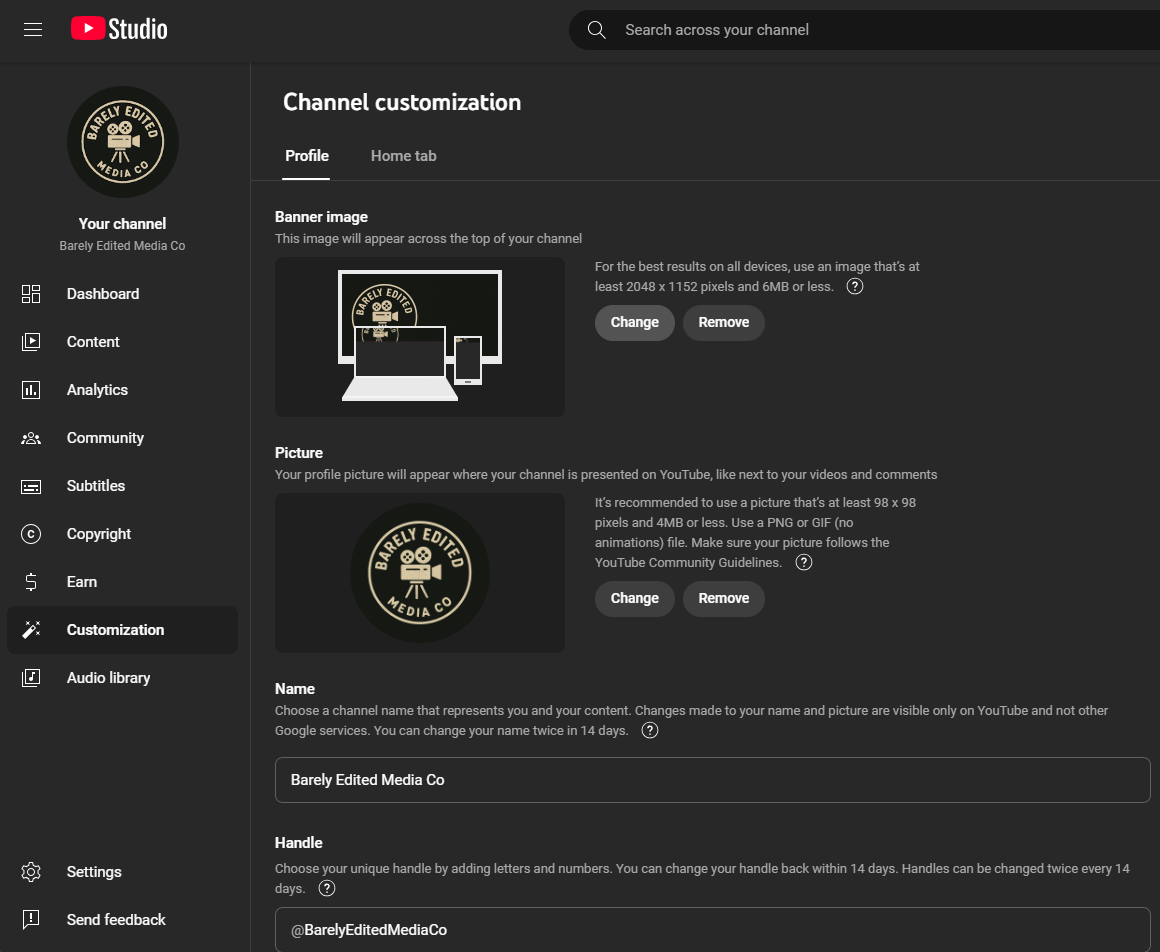
The channel was customized with a Logo and a new Banner.
Based on the new branding, Michael asked Paul to create a video diary of the attendance at Plumpton College in relation to the Digital Vineyard Project.
Paul invested in some new camera gear and after some advice from Neil has opted for the
Insta 360 X5 camera and accessories to enable some more professional video shots to be taken rather than rely on an old iPhone 10 as the primary camera.
Here's a comprehensive draft script and filming schedule for our video diary project at Plumpton College, designed to tell a compelling story from the initial call for help to the final digital twin visualization. This includes shot composition tips, B-roll suggestions, and scene transitions to ensure a smooth and engaging final edit.
🎬 Video Diary Script & Filming Schedule
🎯 Objective:
Create a documentary-style video diary capturing the journey of helping Vinewatch at Plumpton College, from the initial contact to the deployment of IoT and digital twin technologies.
🗓️ Filming Schedule & Script Outline
1. The Call to Action (Day 1)
Scene: Receiving the phone call and reading the email.
-
Script:
-
Voiceover: “It all started with a call and an email from Plumpton College. Vinewatch needed help…”
-
On-screen: Close-up of phone ringing, email notification popping up.
-
-
Shots:
-
CU (Close-Up) of phone screen and email.
-
OTS (Over-the-Shoulder) of reading the email.
-
Reaction shot (natural, candid).
-
-
B-Roll:
-
Typing a response.
-
Packing gear.
-
Map route planning on a laptop or phone.
-
2. Journey to Plumpton (Day 2)
Scene: Traveling to the site.
-
Script:
-
Voiceover: “We hit the road early, heading to the heart of Sussex wine country…”
-
-
Shots:
-
Dashcam or handheld driving shots.
-
Drone shot of countryside (if available).
-
POV shots from inside the vehicle.
-
-
B-Roll:
-
Road signs to Plumpton.
-
Time-lapse of the journey.
-
Arrival at the college.
-
3. On-Site Surveying (Day 2)
Scene: Surveying vine post positions.
-
Script:
-
Interview clip: “We’re here to assess where the vine posts will go…”
-
Voiceover: “Precision is key. Every post matters.”
-
-
Shots:
-
Wide shot of the vineyard.
-
Medium shots of team using GPS or surveying tools.
-
CU of tools and hands marking positions.
-
-
B-Roll:
-
Walking through vines.
-
Measuring tape, GPS devices.
-
Team discussions.
-
4. Installing Post Sleeves (Day 3)
Scene: Physical installation work.
-
Script:
-
Voiceover: “With the plan in place, it was time to get our hands dirty…”
-
-
Shots:
-
Action shots of digging, placing sleeves.
-
Low-angle shots for dramatic effect.
-
CU of tools hitting the ground.
-
-
B-Roll:
-
Sweaty brows, teamwork moments.
-
Tools in motion.
-
Time-lapse of installation.
-
5. People & Plumpton (Day 3)
Scene: Capturing the human side and the college environment.
-
Script:
-
Interview: “Plumpton is more than a college—it’s a community.”
-
Voiceover: “We met passionate people who care deeply about viticulture.”
-
-
Shots:
-
Interviews with staff/students.
-
Wide shots of the campus.
-
Natural interactions.
-
-
B-Roll:
-
Students in vineyards.
-
Classroom or lab scenes.
-
College signage and architecture.
-
6. Ladybird IoT & Dashboard (Day 4)
Scene: Installing and showcasing IoT tech.
-
Script:
-
Voiceover: “Next, we brought in the tech—Ladybird IoT sensors to monitor the vineyard in real-time.”
-
-
Shots:
-
CU of sensors being installed.
-
Screen recording of dashboard.
-
Interview with tech expert.
-
-
B-Roll:
-
Data visualizations.
-
Sensors blinking or transmitting.
-
Vineyard with sensors in place.
-
7. Geospaces Digital Twin (Day 5)
Scene: Final visualization and wrap-up.
-
Script:
-
Voiceover: “The vineyard now lives in two worlds—real and digital. Welcome to the future of viticulture.”
-
-
Shots:
-
Screen capture of the digital twin.
-
Split-screen: real vineyard vs. digital twin.
-
Final drone shot pulling away from the vineyard.
-
-
B-Roll:
-
UI interactions.
-
3D model rotations.
-
Team watching the final product.
-
🎥 Shot Composition Tips
-
Rule of Thirds: Keep subjects off-center for visual interest.
-
Depth: Use foreground elements to add depth to shots.
-
Natural Light: Shoot during golden hour when possible.
-
Stabilization: Use gimbals or tripods for smooth footage.
🎞️ Transitions & Editing Tips
-
Use match cuts (e.g., hand reaching for a tool → hand installing a sensor).
-
L-cut/J-cut audio transitions to maintain narrative flow.
-
Text overlays for dates, locations, and names.
-
Color grading for consistency and mood.
Here are your downloadable resources to support your video diary project:
✅ Production Checklist
A comprehensive checklist covering:
-
Pre-production planning
-
Equipment preparation
-
Travel and location scouting
-
Daily filming tasks
-
Post-production steps
-
Final delivery and review
🎥 Shot List Template (CSV)
A structured template with columns for:
-
Scene Number
-
Description
-
Shot Type
-
Camera Angle
-
Audio Notes
-
B-Roll SuggestionsHere are your downloadable resources to support your video diary project:
✅ Production Checklist
A comprehensive checklist covering:
-
Pre-production planning
-
Equipment preparation
-
Travel and location scouting
-
Daily filming tasks
-
Post-production steps
-
Final delivery and review
🎥 Shot List Template (CSV) See below:
A structured template with columns for:
-
Scene Number
-
Description
-
Shot Type
-
Camera Angle
-
Audio Notes
-
B-Roll Suggestions
-
|
Scene Number |
Description |
Shot Type |
Camera Angle |
Audio Notes |
B-Roll Suggestions |
|
1 |
Receiving the phone call from Seb at VineWatch. |
On-screen: Close-up of phone ringing.
|
CU (Close-Up) of phone screen Insta360 Shots Above Paul with pan zoom to OTS (Over-the-Shoulder) close up of Paul taking the call…
|
None but Paul will Explain as a presenter in Shot 2 |
Shot of Ladybird Demo in the garden |
|
2 |
Paul talking to the camera about the call |
Capture Paul close up |
Insta 360 shots and effects |
None |
Ladybird fixed to the fence panning out and backwards |
|
|
|
|
|
|
|
|
|
|
|
|
|
|
|
|
|
|
|
|
|
|
|
|
|
|
|
|
|
|
|
|
|
|
|
|
|
|
|
|
|
|
|
|
|
|
|
|
|
|
|
|
|
|
|
|
|
|
|
|
|
|
|
|
|
|
|
|
|
|